
pomera DM250US Software Update Information
Updated on May 8, 2025
KING JIM releases a software update for the pomera DM250US digital typewriter for the following improvements.
Software: Ver. 1.1.0.0
- 1.Elmination of the screen display glitches and freezing at startup
This update will resolve the screen glitches and freezing that occur at startup.
- *After the update, software will be Ver. 1.1.0.0.
How to Check the Software Version of Your pomera
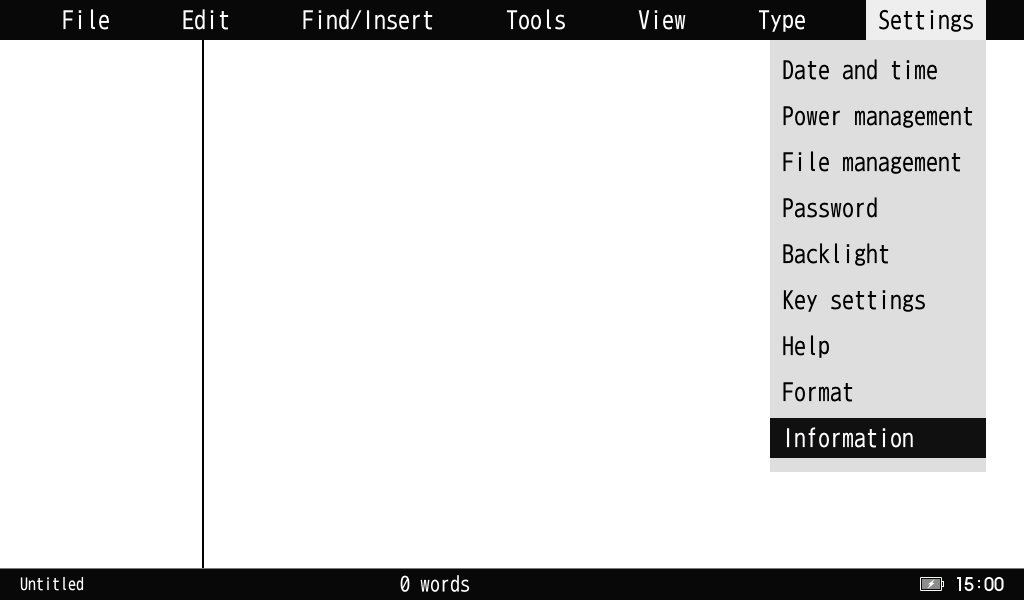
- 1.Turn on the power, press the menu key - [Settings] - [Information], and press the enter key.
- 2.Check the software version in [Device information].
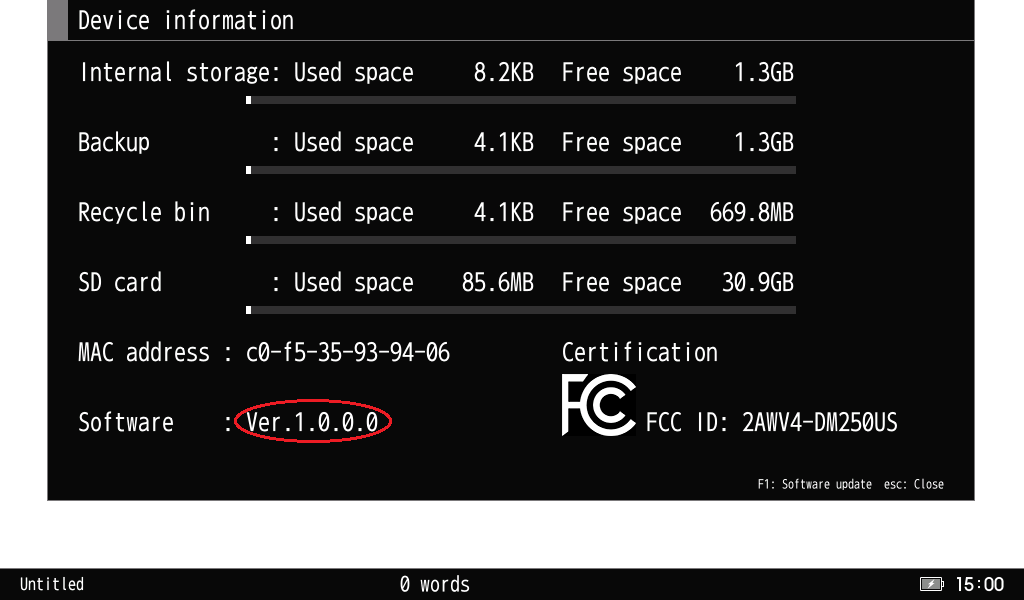
- *If the software version is already Ver. 1.1.0.0, you don't need to update the software.
Download and Update the Software
Please download the updated software via the Internet.
To update the software, you will need the following items.
- Digital Typewriter pomera DM250US
- SD Card
- USB Cable (Type-A/Type-C)
- *Included in pomera DM250US
- AC Charger
- *Included in pomera DM250US
- A computer with a USB port that can connect to the Internet
Attention
- To update the software, pomera DM250US must be connected to a PC.
Operating System:
Windows 10 or later (32/64bit)
macOS Ver. 10.14 or later.- *Although KING JIM has confirmed the compatibility of the pomera DM250US with the above operating systems, please note that not all operations are guaranteed.
- KING JIM does not provide an update service to the Ver. 1.1.0.0. Please update the software on your own responsibility.


